
 DeltaSnap
  DriveSync
  Noject
  DeltaSync
 Noject is a small macOS menu-bar utility that stops accidental ejection of permanently-plugged external storage. It's built for Mac minis and Mac Studios that live inside enclosures with NVMe drives, RAID boxes, or expansion bays, the kind of setup where you'd never want the OS to eject or unmount the disk.

Why Noject
Modern Macs increasingly live in headless or rack-mounted setups: a Mac mini in a 1U sled, a Mac Studio bolted into a media room enclosure, an iMac driving a media library off a Thunderbolt array. In all of these cases, the external drive isn't really external. It's part of the machine. But macOS treats it like a thumb drive and might eject it if a hub flickers or the system thinks the user requested an unmount.
That's the gap Noject fills. It watches a list of drives you've declared as "permanent" and refuses all ejection attempts.
What it does
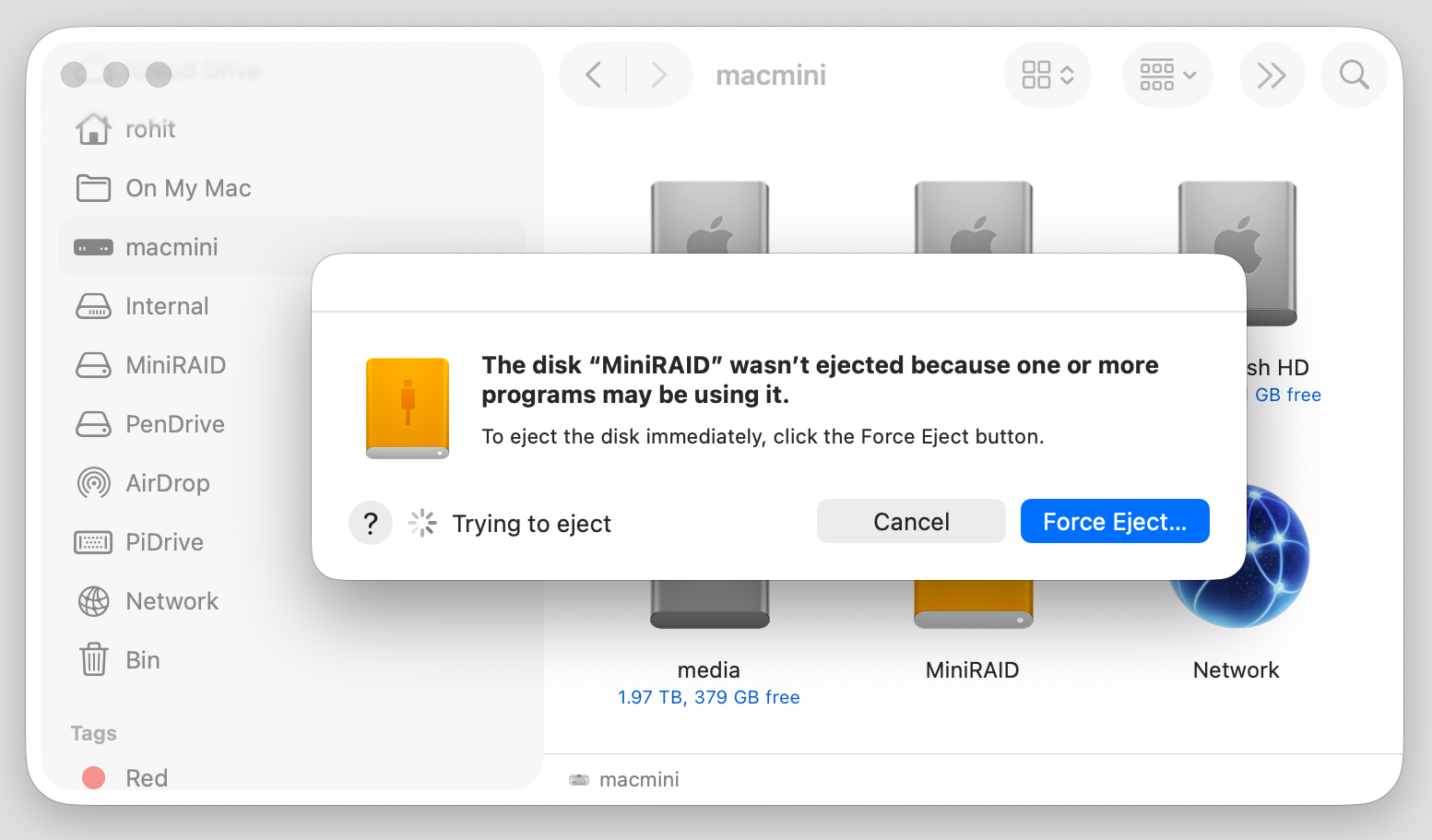
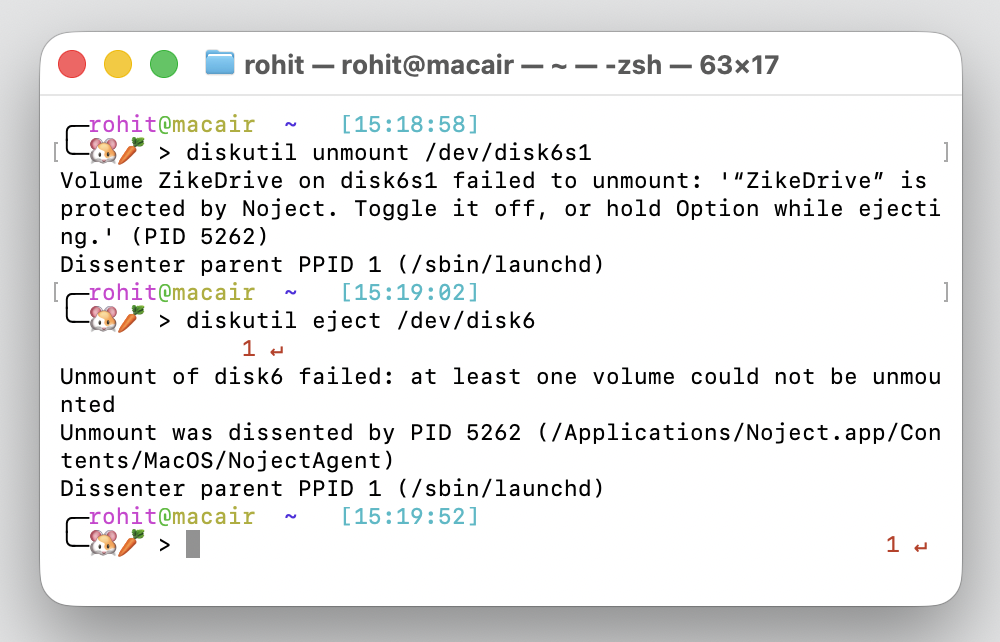
- Eject Protection: Refuses eject or unmount requests from Finder, Disk Utility, Terminal and other apps for any protected volume.
-
Network Share Reconnect: Protect a mounted network share (SMB / Samba, AFP, or FTP / FTPS) and Noject keeps it connected. When the share drops, because the server rebooted, the Wi-Fi blipped, or the Mac woke from sleep, Noject asks Finder to remount it by URL, which prompts for credentials if needed. Network shares can vanish on their own, so Noject reconnects them instead of blocking their ejection. This feature is exclusive to the Mac App Store app and is not included in the free website download.
-
Always-On Agent: A lightweight helper agent handles the protection in the background. It starts automatically on login and survives app quits, reboots, and sleep cycles.
-
Config Persistence: Noject remembers your protected volumes by UUID; they are automatically shielded whenever they are plugged back in, no matter how long they've been gone.

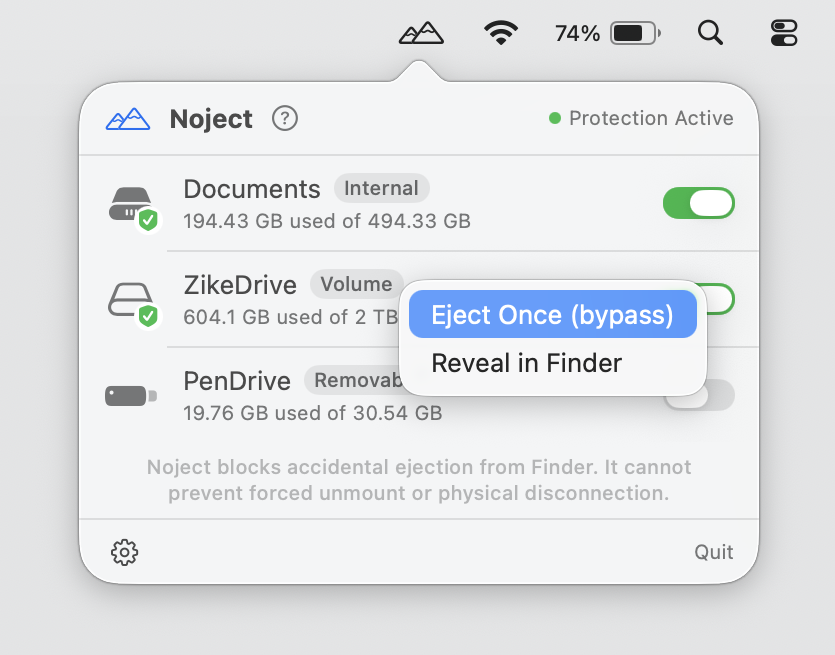
- Additional User Tools: Right-click a volume in the menu to Reveal in Finder, or (on protected volumes) select Eject Once (bypass) to perform a one-shot ejection without disabling protection.
- Privacy First: No accounts, no telemetry, and no network calls. Everything happens locally on your Mac.