
 DeltaSnap
  DriveSync
  Noject
  DeltaSync
 Create a snapshot
Select a writable Data volume, open Snapshots, and choose Create. An optional label makes the checkpoint easier to recognize; the kernel name and numeric XID remain its authoritative identity.
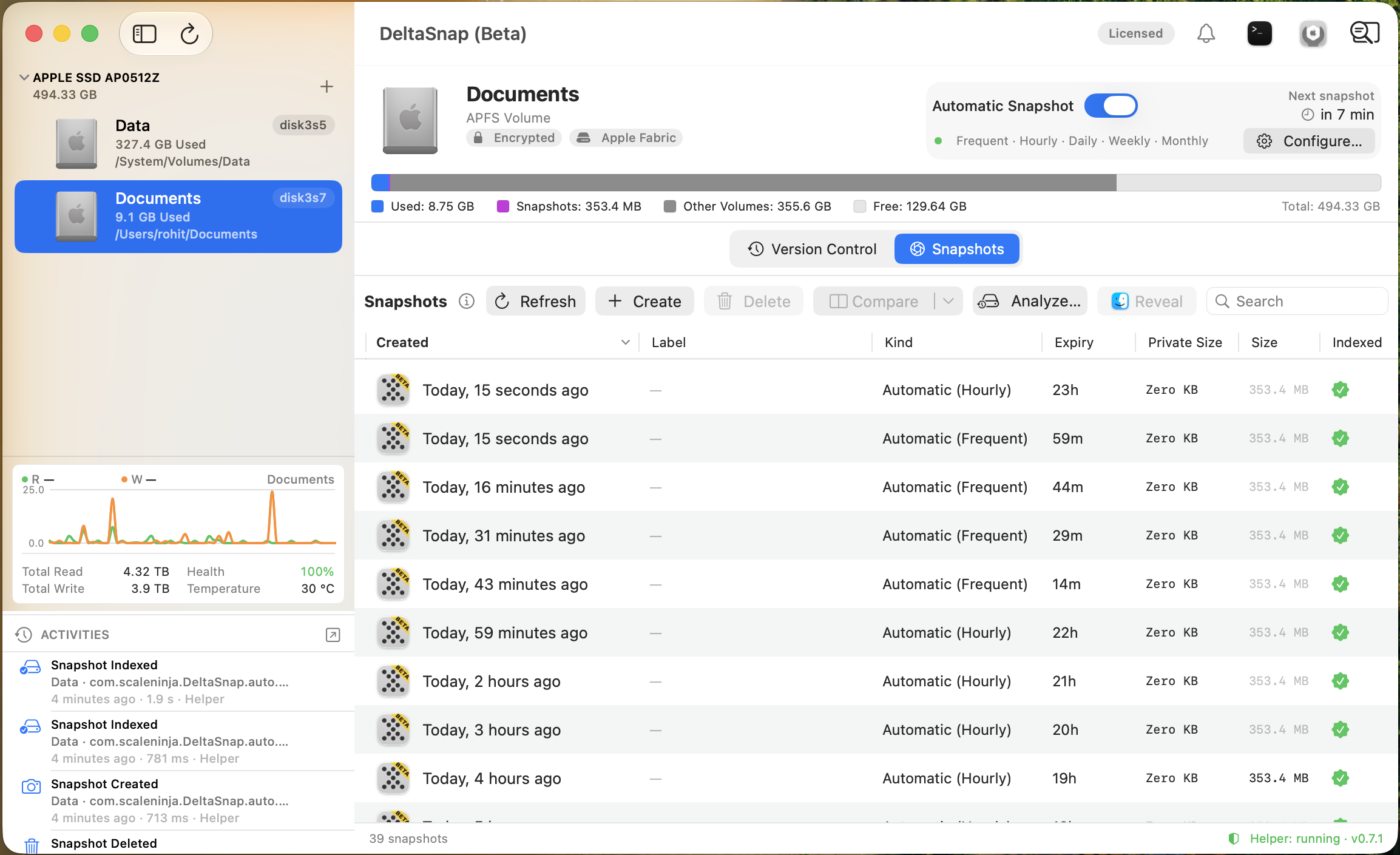
Choose a disposition:
- Safety Snapshot (Auto-expiry) is the default and expires after the global safety retention period (24 hours by default).
- Protected Snapshot is held against every automatic pruner and requires extra confirmation to delete.
The CLI creates a non-expiring manual snapshot by default:
dsnap snapshot data@before-upgradeUse --safety for an auto-expiring script or agent checkpoint:
POINT=$(dsnap snapshot --safety data@ai-pre-upgrade)
dsnap tag "$POINT" '{"agent":"codex","phase":"pre"}'
Each snapshot can carry one searchable free-form tag. Right-click a row to add, edit, or clear it; use dsnap tag and dsnap tags for automation. JSON tags are useful for session metadata.
Snapshot kinds
| Kind | Lifecycle |
|---|---|
| Safety | Fixed TTL from Settings → General; used for casual checkpoints, restores, merges, and monitoring alarms |
| Automatic | Rotated by active cadence counts, or natural lifespan when no active count covers it |
| Manual | No time expiry; eligible only for low-space pruning unless protected |
| External | Created by Time Machine, CCC, or another tool; protected from DeltaSnap pruning by default |
| System | com.apple.os… rollback snapshot; hidden or excluded from DeltaSnap deletion |
Protect and unprotect
Protection overrides every automatic deletion path. Right-click one or more snapshots and choose Protect Snapshot(s). Release protection only when the snapshot can return to its normal lifecycle.
dsnap hold data@HEAD
dsnap unhold data@HEAD
dsnap holds data
For movable external volumes, DeltaSnap stores protection on the volume when macOS permits it so the hold travels with the disk. Internal startup-volume protection is stored locally because SIP restricts the volume root.
Mount and reveal
Mounting exposes a read-only historical tree under /Volumes. DeltaSnap reuses managed mounts across Version Control, Quick Look, Finder, and comparisons, and does not unmount one while another feature still has a lease.
Delete snapshots
Deletion is permanent. Select snapshots, choose Delete, and review protected, mounted, or foreign targets carefully. Automatic pruning skips mounted/in-use snapshots and retries later.
dsnap destroy data@HEAD~2
dsnap destroy --force data@HEAD~2
--force can unmount a target and bypass its individual protection. It does not make hidden macOS rollback snapshots eligible. See Schedules and retention before enabling automatic deletion.