
 DeltaSnap
  DriveSync
  Noject
  DeltaSync
 DeltaSnap compares two snapshots on the same APFS volume and reports path-level changes from the older point to the newer one.
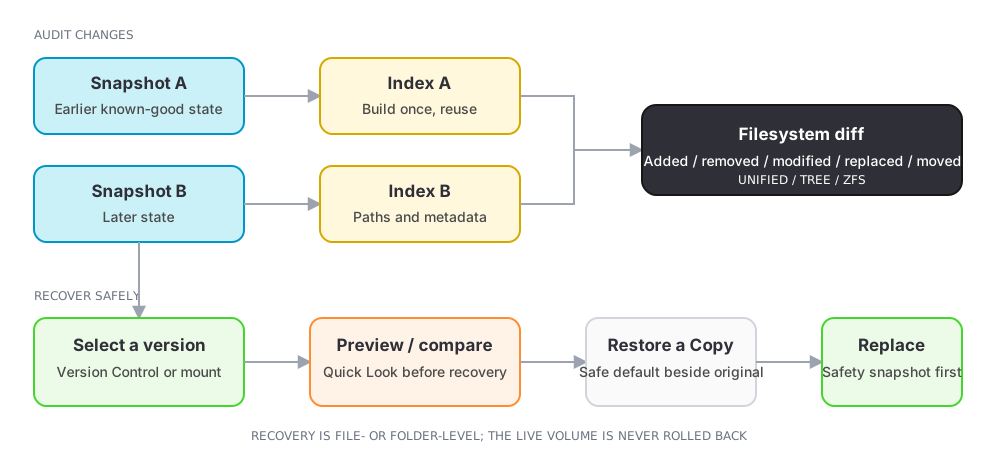
Compare in the app
- Open Snapshots and select exactly two rows on one volume.
- Choose Compare.
- Wait if either point still needs indexing.
- Filter or browse added, removed, modified, replaced, and moved paths.
- Preview, reveal, compare, or open a path in Version Control when available.
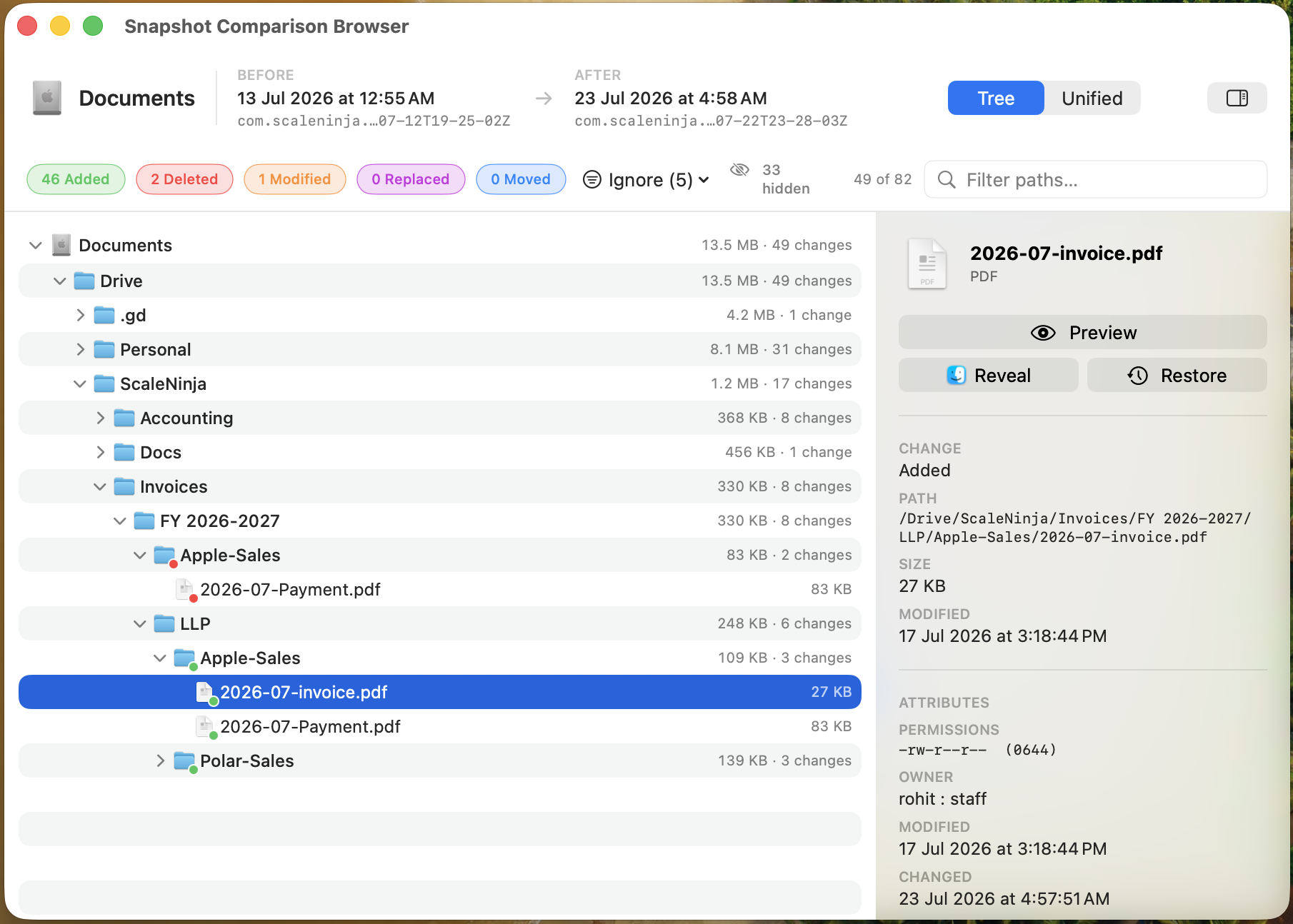
Moved detection pairs a unique filesystem identity across old and new paths. A move with concurrent content changes can still appear as other change kinds when it cannot be paired safely.
Persistent index and exclusions
By default, DeltaSnap builds a baseline and per-snapshot history in the background. Indexing exclusions omit regenerable and noisy trees: system and application directories, caches, logs, saved application state, derived Apple metadata, installer and App Store staging areas, kernel core dumps, and rebuildable developer output such as DerivedData, CoreSimulator, and node_modules. Your Library is otherwise indexed, because application databases, preferences, mail, and sandboxed documents hold work you cannot recreate. The excluded directory itself remains visible, but its descendants are not compared.
Edits to the exclusion lists save as you make them and apply to snapshots indexed from then on. Indexes already built are kept, so the first comparison that spans a change can show a folder you just excluded as removed, or one you just included as added; comparisons after that read true. To redo every index under the current rules, use Settings → Indexing → Maintenance → Rebuild All Snapshot Indexes. Re-index Snapshots does the same for one volume.
Compare Everything
Choose Compare Everything (Full Scan)… when the question concerns excluded locations. This performs one direct scan of both snapshots, ignores persistent exclusions, and saves nothing into Version Control history. It is slower and can report a much noisier result.
Compare with dsnap
dsnap diff data@HEAD~1 data@HEAD
dsnap diff --format=tree data@HEAD~1 data@HEAD
dsnap diff --format=zfs data@HEAD~1 data@HEAD
dsnap diff --full data@HEAD~1 data@HEAD
The CLI normalizes operand order to older → newer. Formats are unified, tree, and zfs; --full runs the one-off exclusion-free scan.