DeltaSnap
  DriveSync
  Noject
  DeltaSync
 DeltaSnap lists mounted APFS volumes on the left and the selected volume's storage, automation, history, and tools on the right.
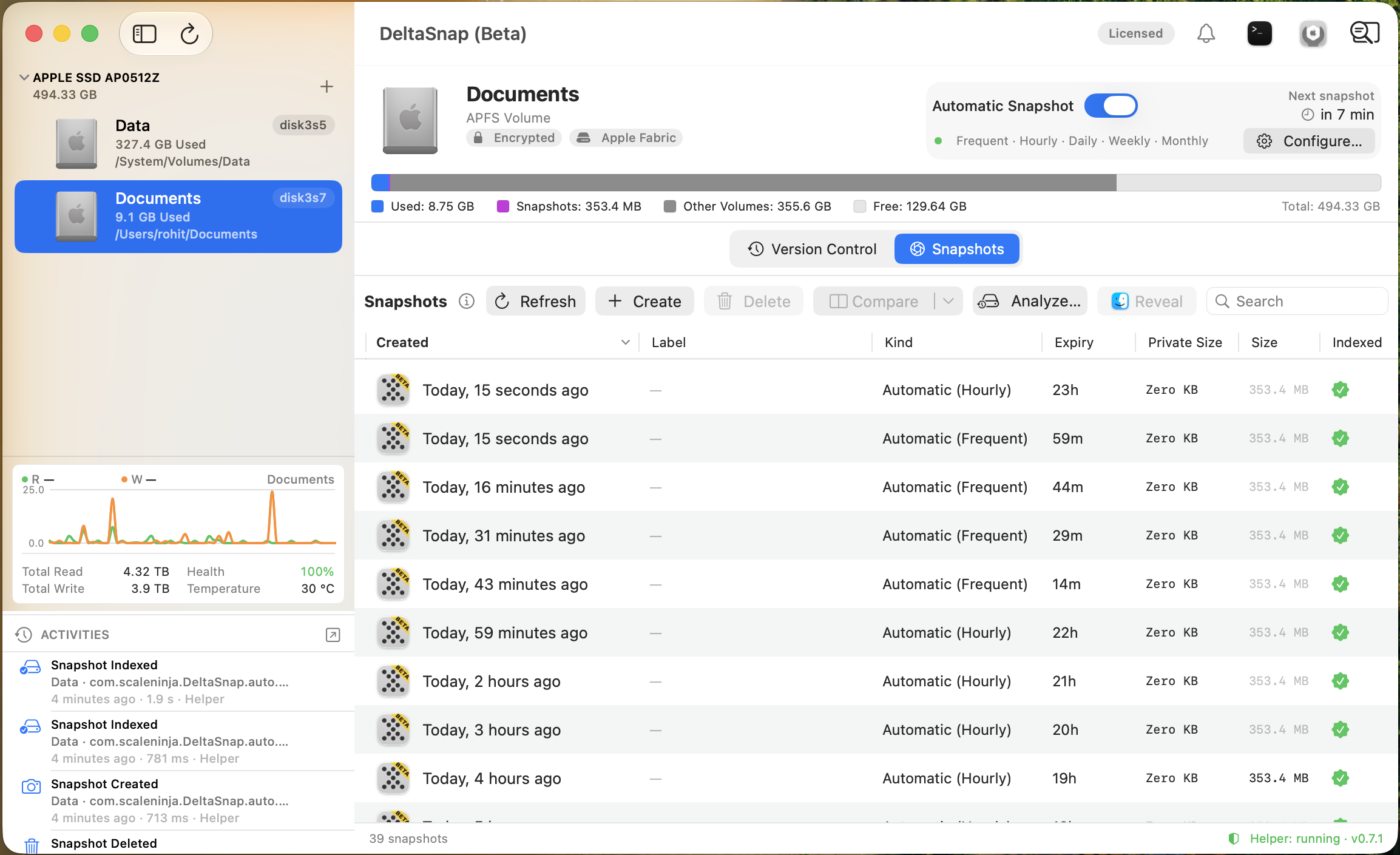
Volume sidebar and header
Volume rows identify the APFS volume, mount, role, and storage usage. DeltaSnap manages writable Data volumes. Backup-role volumes are reference-only because their snapshots belong to the backup product; system infrastructure roles such as Preboot, Recovery, VM, and Update are not normal workspaces.
The volume header shows capacity, used/free space, encryption and connection information where macOS supplies it, automatic-snapshot status, live read/write activity, and available SMART health data. APFS volumes in one container share space, so a displayed capacity is not always a fixed partition boundary.
Primary tabs
- Version Control browses live and deleted indexed paths and shows the selected item's version timeline. It appears once any snapshot on the volume is indexed, DeltaSnap's own or an external one.
- Snapshots lists native APFS snapshots with identity, kind, created time, storage measurements, TTL, protection, mount, and index state.
Backup-role volumes show only Snapshots.
Snapshot tools
The Snapshots toolbar supports create, delete, compare, full-scan compare, Analyze Space, mount/reveal, protection, and indexing. Select two snapshots on one volume for comparison. The table's Private Size is the space referenced only by that snapshot, the best estimate of what deleting it alone returns; the volume header shows the space all snapshots hold together. Sizes are measured in the background and cached, so the table fills at once and rows update in place. Refresh re-measures every row. See Snapshot storage.
App-wide tools
- Temporal Search finds current and deleted files across managed volumes.
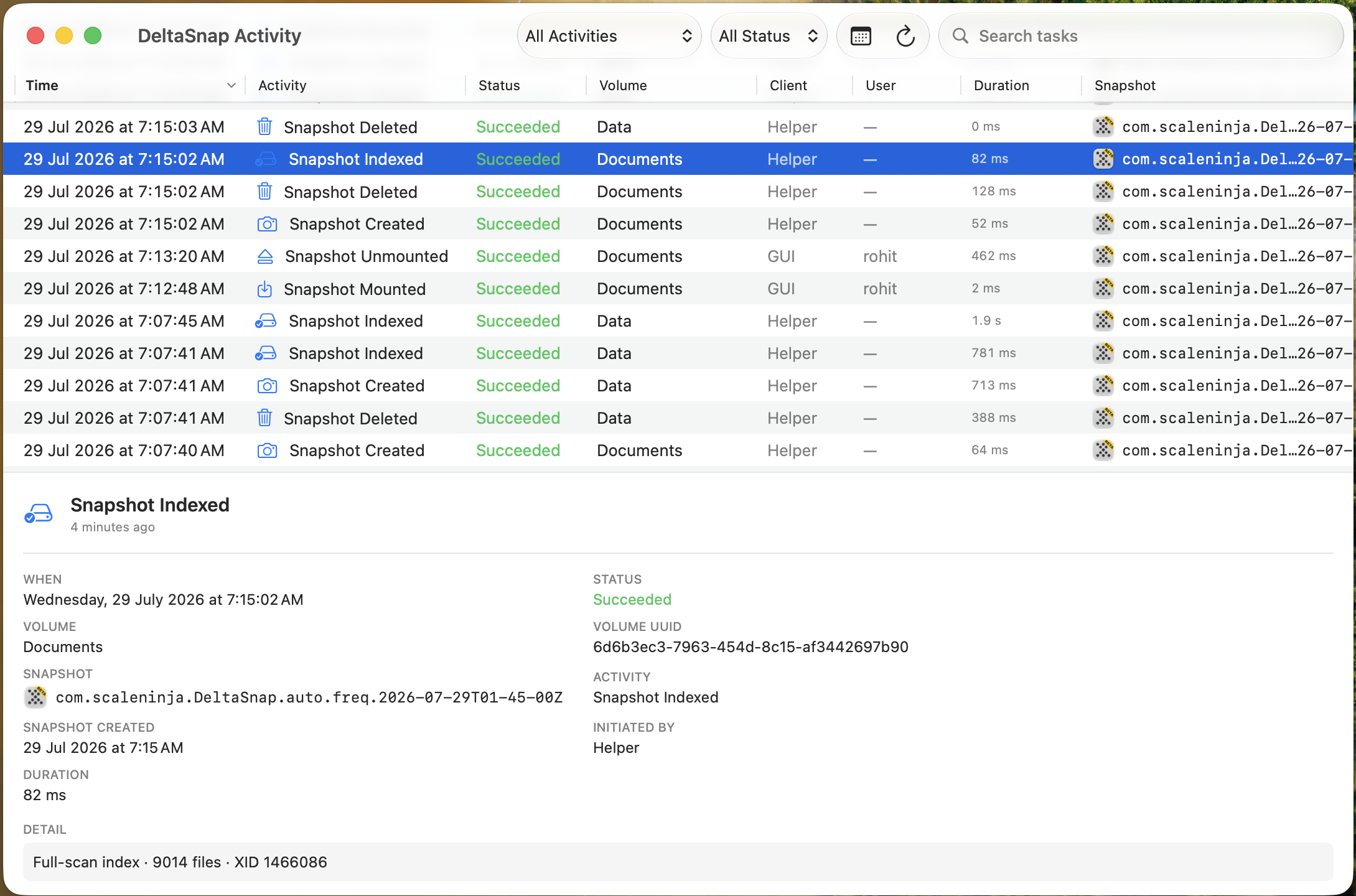
- Activity is the operational audit trail for snapshot, index, restore, prune, monitoring, and helper events.
- Notifications is a persistent inbox for failures, mass-change alarms, low-space warnings, prune results, and storage advice. It stays quiet by default and can forward entries by email through your own mail server; see Notifications and email alerts.
- The menu bar provides volume usage, Snapshot All, Temporal Search, unread notifications, and a change-monitoring switch while the app runs.
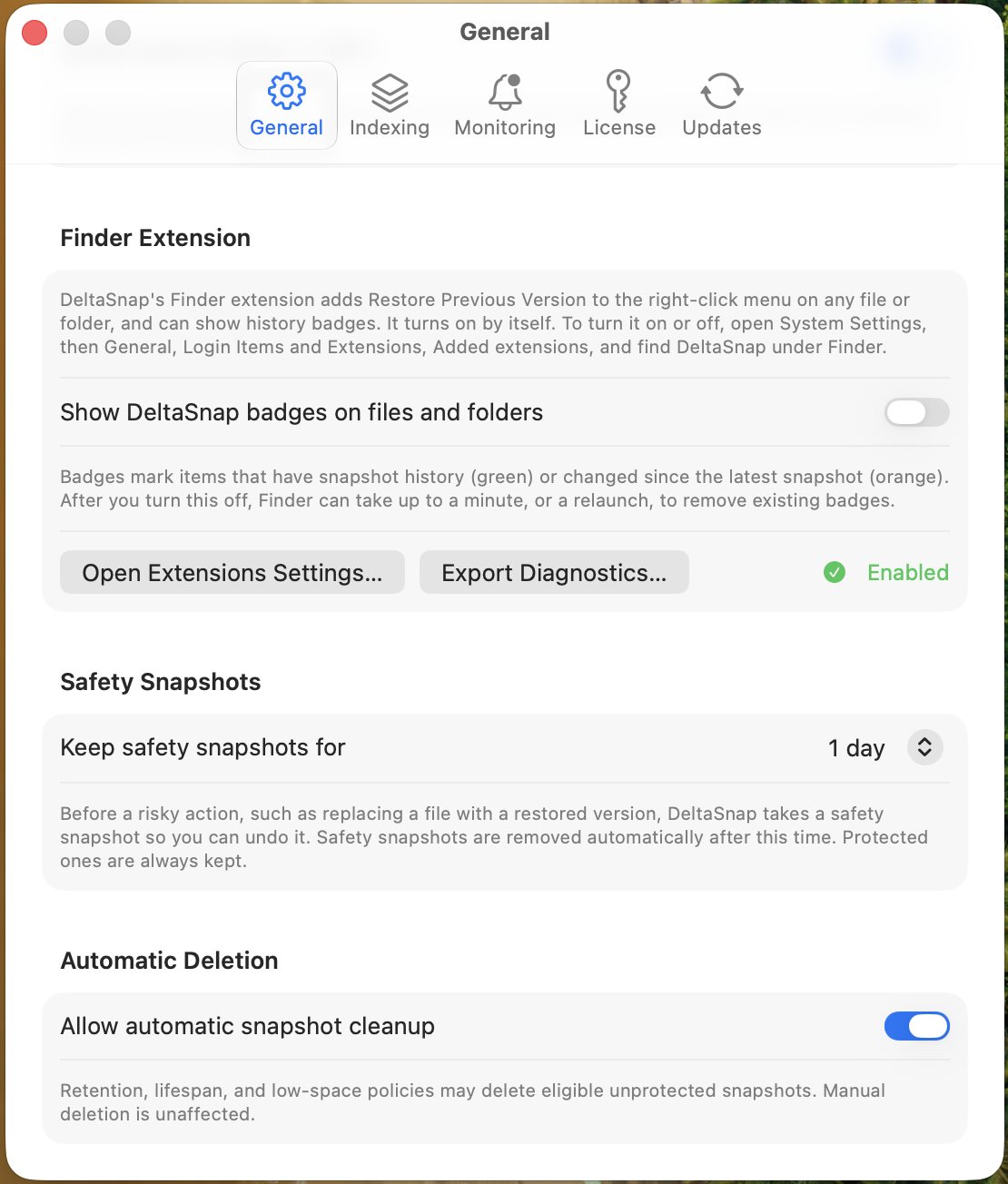
Settings
General controls Temporal Search, Finder integration, safety-snapshot retention, and the global automatic-deletion gate. Notifications controls whether DeltaSnap may interrupt you and sets up email delivery of notifications and activity. Indexing controls proactive scans, battery behavior, exclusions, and whether snapshot sizes are measured at all. Monitoring controls mass-change alarms and watched paths. License and Updates manage entitlement and software updates.