
 DeltaSnap
 DriveSync
 Noject
 DeltaSync
Hermes Agent is Nous Research's open-source, self-improving agent. It keeps a memory, writes skills for itself as it learns, runs terminal commands, and talks to you through a messaging gateway that covers Telegram, Discord, Slack, WhatsApp, Signal, email and many more. Hermes' security guide says: "For maximum security, run the gateway on a separate machine or VM."
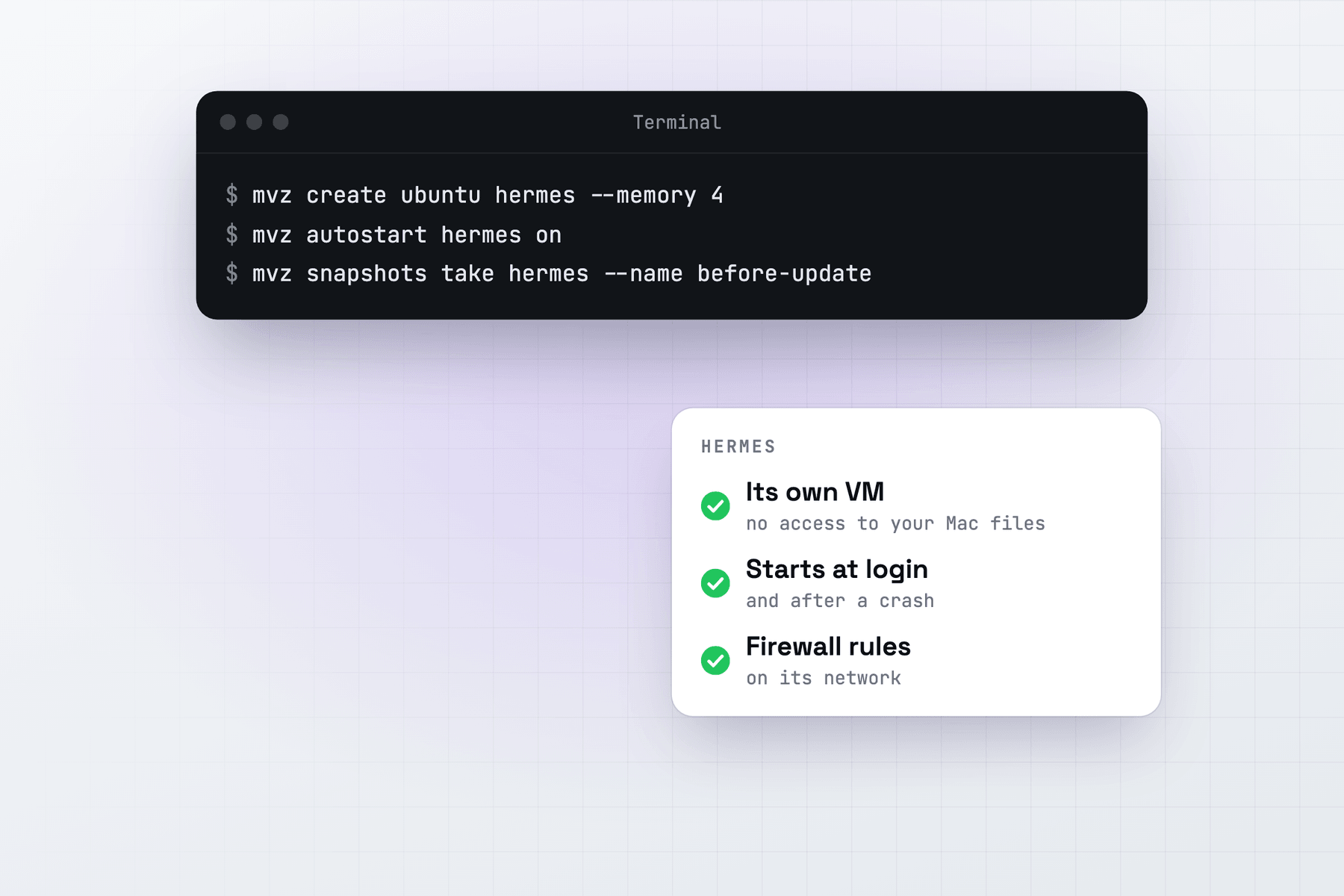
That VM can run on your Mac. MacVisor gives Hermes an Ubuntu VM of its own that runs in the background, holds none of your files, and goes back to an earlier snapshot with one command when a skill or an update goes wrong.
MacVisor doesn't install or configure Hermes. You install it in the VM with Nous Research's script, as on any Linux machine. Linux on aarch64 is a Tier 1 platform for Hermes, installed the same way as on x86_64.
Create the VM
In the app: New VM… → Linux → Cloud Image → Ubuntu 26.04 LTS, with Share my home folder (read-only) left off. From Terminal:
mvz create ubuntu hermes --start
mvz wait hermes
mvz shell hermes
cloud-init creates your account with your SSH keys and passwordless sudo, and installs the MacVisor Agent. No folder from your Mac is shared unless you pass --home, which shares your home folder read-only, or add one later with mvz shares. Leave both alone for an agent VM.
To give Hermes' Docker terminal backend somewhere to run, add --runtime docker to the create. Hermes then runs its commands in a hardened container inside the VM.
Install Hermes
In the VM's shell:
curl -fsSL https://hermes-agent.nousresearch.com/install.sh | bash
source ~/.bashrc
hermes setup
hermes doctor
The script needs Git, curl, tar and SHA-256 tools, which MacVisor's Ubuntu 26.04 image already has. It clones Hermes into ~/.hermes/hermes-agent, puts the hermes launcher in ~/.local/bin, and brings its own pinned Python, Node.js, ripgrep and FFmpeg. It also installs Chromium for web browsing and a computer-use tool by default; its --skip-browser and --skip-computer-use flags leave them out. On the server image the computer-use tool (cua-driver) doesn't install, because it needs desktop libraries the image doesn't have, such as libXi; the rest of Hermes installs and runs without it, and hermes pm install cua-driver tries again once you've added them. Your settings and keys live in ~/.hermes inside the VM, never on the Mac.
hermes setup walks through the model, the terminal backend, tools and the gateway. hermes setup terminal changes the backend later.
Run the messaging gateway as a service
hermes gateway setup                  # connect Telegram, Discord, Slack...
hermes gateway install                # a systemd user service, with lingering on
hermes gateway status
journalctl --user -u hermes-gateway -f
By default the gateway ignores everyone who isn't on an allowlist or paired. An unknown sender who messages the bot gets a one-time code, and hermes pairing approve <platform> <code> lets them in. Hermes' docs advise against GATEWAY_ALLOW_ALL_USERS for a bot with terminal access. That holds in a VM too: whoever can message the bot can run commands in it.
Open the dashboard on the Mac
hermes dashboard --no-openThe dashboard listens on the VM's 127.0.0.1:9119. MacVisor forwards ports a cloud-image VM listens on, those bound to the guest's own loopback included, to the same port on the Mac's 127.0.0.1, so open http://127.0.0.1:9119 on the Mac. Port 9119 isn't one MacVisor holds back, and the forward is reachable from this Mac only. Leave the dashboard on its default host, because it reads and writes Hermes' .env, where your API keys are. Hermes doesn't install a service for it, so run it when you need it, or in tmux.
For a tighter setup, create the VM with --no-forward and forward only the dashboard: mvz ports add hermes --host-port 9119 --guest-port 9119 --name Hermes. Otherwise any process in the guest can take a free port on the Mac's loopback. See Port forwarding.
Keep the VM up
mvz autostart hermes on
mvz ha hermes on --watchdog
mvz hooks hermes check set 'systemctl --user is-active --quiet hermes-gateway' --in-guest --restart
Start at Login starts the VM in the background at every login, whether or not the app opens. High availability starts it again after a crash, VM Watchdog when the guest stops responding, and the health check restarts the VM (at most once a day) when the gateway service has been down for 10 minutes. In the app, these are in VM Settings → General and VM Settings → Advanced → Health Check. For a Mac mini that comes back by itself after a power cut, see Run a Mac mini as an always-on VM host.
Snapshots and backups
Hermes changes itself over time: new skills, new memory, updates. Take a snapshot before anything you might want to undo:
mvz snapshots take hermes --name before-skills
# in the VM: hermes update, or hermes skills ...
mvz snapshots revert hermes before-skills
A revert puts back the whole VM, Hermes' memory, skills and .env included, and at a terminal it takes a safety snapshot of the current state first. mvz set hermes --auto-snapshots daily keeps a rolling week of disk snapshots.
Hermes' own hermes backup saves Hermes' data. A MacVisor backup copies the whole VM to another drive on a schedule, while it runs:
mvz set hermes --backup-to /Volumes/T7/Backups --backup-at 04:00It includes Hermes' keys and platform tokens, so keep it on an encrypted drive. See Backups and Snapshots.
Limit what Hermes can reach
The Default MacVisor Network lets a VM reach your local network. A custom network with a firewall, enforced in the Mac's packet filter where the guest can't change it, keeps Hermes on the internet and off your devices:
mvz networks create agents
mvz networks firewall agents on --inbound deny --outbound allow \
  --deny out:any::10.0.0.0/8 --deny out:any::172.16.0.0/12 --deny out:any::192.168.0.0/16
mvz stop hermes
mvz set hermes --network agents
mvz start hermes --headless
mvz networks firewall agents      # says whether the rules are in force
For a tighter policy, deny outbound by default and allow only what your platforms use, such as --outbound deny --allow out:udp:53 --allow out:tcp:443. Email needs its IMAP and SMTP ports as well. The dashboard forward and mvz shell go through the MacVisor Agent, not the network, so the firewall doesn't touch them. It filters IPv4 only and doesn't separate VMs on the same network. See Network firewall.
Local models on the Mac
Hermes reaches Ollama through its custom endpoint provider. Ollama on the Mac listens only on 127.0.0.1 by default, so:
- Over the network:
launchctl setenv OLLAMA_HOST "0.0.0.0:11434"on the Mac, restart Ollama, and usehttp://host.mvz.internal:11434/v1in Hermes. Your LAN can reach Ollama too then, and on theagentsnetwork the Mac's address needs an allow rule ahead of the denies. - Through a tunnel: keep Ollama on localhost, run
mvz ssh-config --installonce, thenssh -N -R 11434:127.0.0.1:11434 hermes.mvzon the Mac while Hermes needs it. Hermes then useshttp://127.0.0.1:11434/v1, as in its Ollama guide, which also asks for at least 64K of context.
Why not an AI sandbox?
MacVisor's AI sandboxes keep API keys on the Mac and allow only listed sites, but they are made for coding tasks: a copy of a git repository, a diff to review, a VM you discard afterwards. Hermes is a long-running assistant with its own state, so the regular VM above is the better fit. Hermes' Docker backend adds containment for its commands inside it.
When something else fits
- Hermes' Docker image is Tier 1 on aarch64 too. If you already run a Linux server with Docker, use that.
- Hermes on macOS itself makes sense when you want it working on your own files, with its command approvals on. That is a choice to trust it with your Mac.
- A VPS keeps Hermes running without a Mac at home, and Hermes' Modal and Daytona backends run its commands in hosted sandboxes.
Hermes also runs on Apple Silicon macOS, so a macOS 27 VM is an option when you need macOS in the guest. We haven't tested any Hermes integration in a macOS VM, and Apple allows two macOS VMs per Mac at a time.
MacVisor has a free 30-day trial, and every feature here is in every license, including the one-time Pro license.