
 DeltaSnap
 DriveSync
 Noject
 DeltaSync
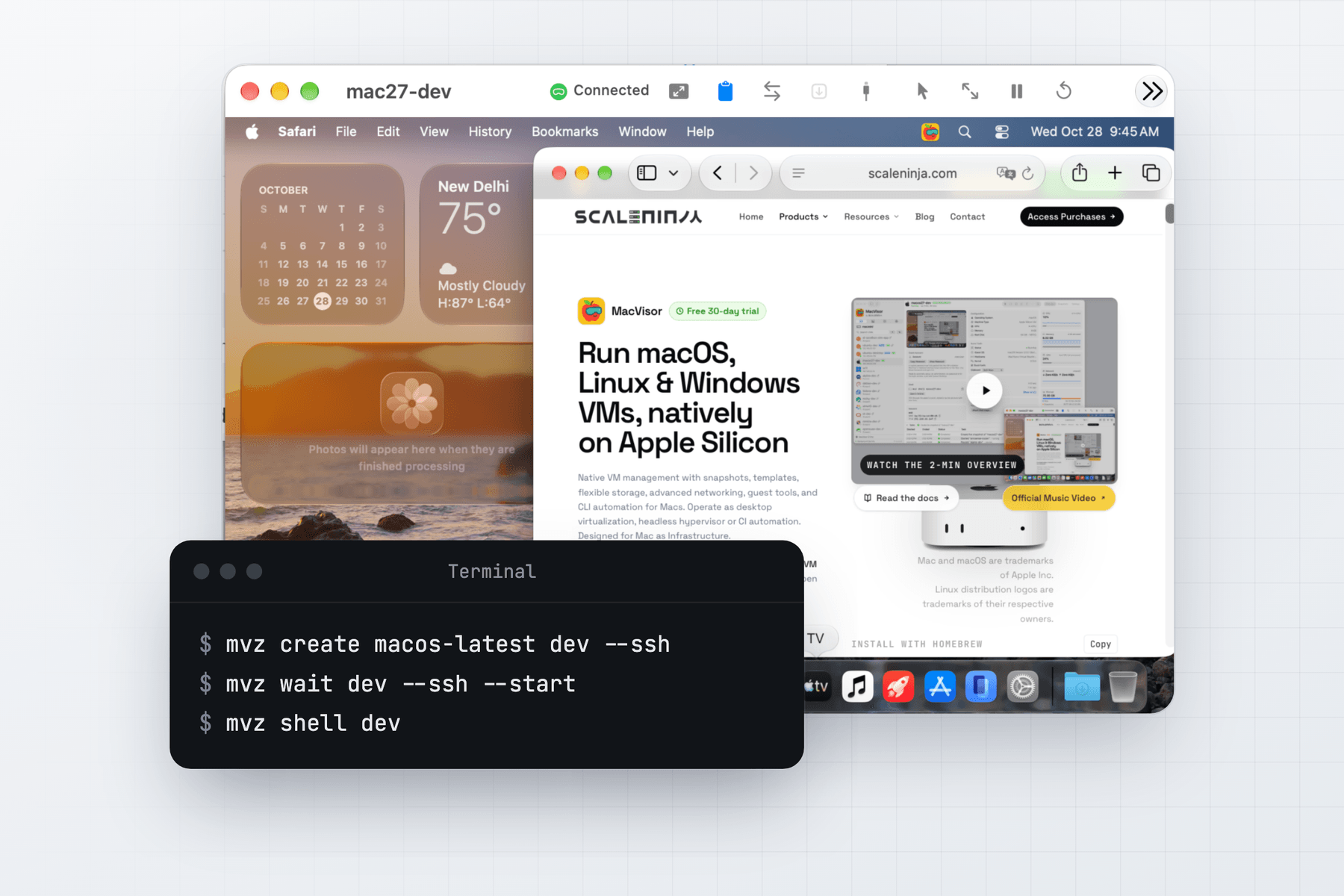
A macOS VM is a second Mac inside your Mac: a clean system to test a new macOS release before you upgrade, check an app on an older version, or give a build or a coding agent a machine of its own. MacVisor installs macOS from Apple's restore images, with Apple's accelerated graphics, and treats each VM as a machine you can snapshot, clone, back up and reach over SSH.
What you need
- An Apple Silicon Mac running macOS 27.
- macOS 14 or later in the VM.
- Disk space for the installer, 15 to 27 GB, downloaded once and kept for later VMs.
- Room for the defaults: 4 vCPUs, 8 GiB of memory and a 64 GiB disk, which takes only the space macOS writes. Give macOS at least 4 vCPUs, or it won't be responsive.
Create a macOS VM
In the app, press ⌘N, choose macOS, pick an installer or a local .ipsw, and click Create & Install. MacVisor downloads the installer from Apple, verifies it, and installs it in 20 to 30 minutes.
| Installer | Id |
|---|---|
| macOS Golden Gate 27.2 | macos-27 |
| macOS Tahoe 26.6.2 | macos-26 |
| macOS Sequoia 15.6.1 | macos-15 |
| macOS Sonoma 14.6.1 | macos-14 |
| The newest macOS this Mac supports | macos-latest |
From Terminal:
mvz create macos-latest mac --ssh        # the newest macOS this Mac supports
mvz wait mac --ssh --start               # follows the install, starts the VM, returns when SSH answers
mvz shell mac
mvz create macos-26 tahoe                # set up in the VM's window with Setup Assistant
mvz create ~/Downloads/UniversalMac_15.6.1_24G90_Restore.ipsw sequoia
The catalogue has Apple's released builds only. To try a beta, download its IPSW from Apple and pick the file. When you choose a macOS newer than the Mac's own, the form warns that apps in the VM may not work reliably, and still lets you go on. mvz images add <file> keeps an IPSW for later VMs. See macOS guests.
Automatic setup for macOS 27 guests
macOS 27 guests skip Setup Assistant. The first boot creates an administrator account and signs it in: macvisor with a random password, unless you choose a name with --user and a password with --password-file. mvz password mac prints the password, and Type Password types it into the VM's window.
With --ssh (on by default in the form), MacVisor turns on Remote Login, installs the MacVisor Agent over SSH, authorises your SSH keys and turns off password logins. mvz shell and mvz exec then need no password, and after mvz ssh-config --install, ssh mac.mvz works too.
macOS 26 and earlier go through Setup Assistant in the VM's window. Install the agent afterwards with Attach Guest Tools on the Overview, then drag MacVisor Agent into Applications. See Automatic setup.
Signing in to iCloud with your Apple Account works in a macOS 27 VM.
What the MacVisor Agent adds
- Clipboard both ways, with formatting. Passwords from a password manager stay on the Mac.
- File transfer: drop files on the window or run
mvz send mac <file>. They land in~/Transfers. - Shared folders from the Mac at
/Volumes/My Shared Files. - Port forwards,
<vm>.mvznames, a clean shutdown, and writes flushed before a snapshot. - USB devices pass through from the window's USB button or
mvz usb attach, such as a security key or a serial adapter.
The agent needs macOS 14 or later in the guest. See Guest tools.
Snapshots, linked clones and templates
A live snapshot saves memory too and resumes where the VM was. A disk-only snapshot is the one to keep across macOS and MacVisor updates.
mvz snapshots take mac --disk-only --name "Clean install"
mvz snapshots revert mac "Clean install"
mvz clone mac mac-test --linked    # instant, shares the disk; the source must be stopped
mvz template mac on                # keep it as a base
mvz create mac mac-2               # a full copy with a new identity
A linked clone takes no extra space until it changes, which makes one VM per test run or per branch cheap. Each clone and each VM made from a template is a Mac of its own, with a new identity. See Snapshots, Linked clones and Templates. Scheduled backups copy the VM to another drive.
Tart's macOS images from a registry
MacVisor pulls VM images from OCI registries, Tart's public macOS images included, and pushes your own VMs and templates:
mvz clone ghcr.io/cirruslabs/macos-golden-gate-base mac-brew   # macOS 27 with Homebrew
mvz images push mac ghcr.io/you/mac:27.2
Tart's images sign in as admin with the password admin, with SSH on, so change the password in any VM others can reach. macos-golden-gate-vanilla is plain macOS 27, and macos-tahoe-base is macOS 26 with Homebrew. See Registry images.
Bring macOS VMs from other apps
File → Import… lists the VMs that VirtualBuddy, UTM, tart and Parallels Desktop have on this Mac. A macOS VM comes across as the same Mac: it keeps its hardware model, machine identifier and auxiliary storage, so macOS inside sees no new computer. Shut it down in the other app first. Snapshots and saved states stay behind.
mvz import --scan
mvz import ~/.tart/vms/sequoia --move
A macOS VM from an Intel Mac or from VMware Fusion can't come across: make a new one and copy files through a shared folder.
What people use macOS VMs for
- Testing a new macOS release before you upgrade your own Mac. Take a disk-only snapshot, run Software Update in the guest, and revert if it goes wrong.
- Testing apps on each macOS from 14 to 27, from a clean install every time: one VM per version, a "Clean install" snapshot, a revert after each run.
- A coding agent on macOS in a disposable AI sandbox, when it needs Xcode or macOS itself.
- An always-on macOS machine on a Mac mini, started at login with
mvz autostart mac onand reached over SSH.
Limits
- Two macOS VMs at a time per Mac, a limit of Apple's license and Virtualization framework. macOS AI sandboxes count toward it.
- No betas in the catalogue. Use the beta's IPSW file.
- Automatic setup needs a macOS 27 guest. Earlier versions set up by hand in the window.
- Suspended VMs and live snapshots restore only on the macOS release and MacVisor version that saved them. Shut VMs down before you update either.
- One display per VM.
- Erase and Install doesn't upgrade macOS. Use Software Update in the guest.
See Known limitations for the full list.
When MacVisor isn't the right choice
If you only want to try a macOS beta now and then, VirtualBuddy is free, open source and runs on macOS 14 or later, so it works on a Mac not yet on macOS 27. If you run macOS CI across many Macs, Tart with Orchard and its Packer plugin is built for that, while MacVisor manages the VMs of one Mac. No app gets past two macOS VMs on one Mac: for more, use more Macs.
MacVisor fits when macOS VMs are machines you keep: snapshots, linked clones, backups, networks and an mvz command for every step. Every single-Mac feature is in every license, including the one-time Pro license, and the 30-day trial is free. See MacVisor vs. VirtualBuddy and MacVisor vs. Tart.