
 DeltaSnap
  DriveSync
  Noject
  DeltaSync
 DriveSync is a menu-bar app that keeps a folder on your Mac and a folder in Google Drive in step. It does not run in the background watching for changes. You tell it when to sync, in which direction, and it shows you the full list of what it is about to do before it does any of it.
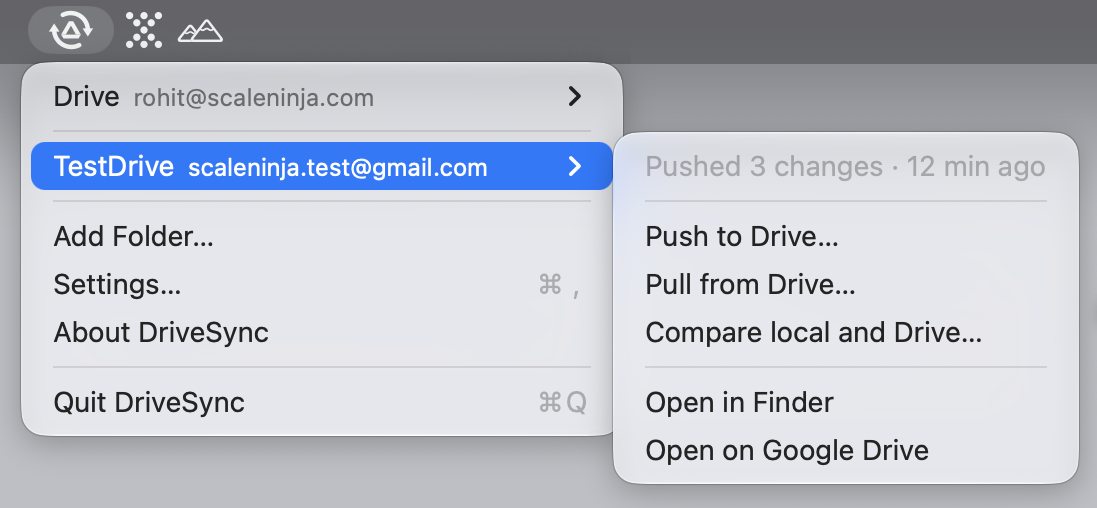
Three actions
Every folder offers the same three, and each one opens a window:
- Compare reads both sides and lists the differences. It changes nothing.
- Push uploads local changes to Drive.
- Pull downloads changes from Drive.
You pick the direction. DriveSync never guesses it for you, and it never runs a sync you did not start.
The plan comes first
Push and pull both work the same way: check, then apply. The check produces a plan: every file that would be added, updated, deleted or skipped, with the reason it is in the list. Nothing moves until you click the button that names the count.
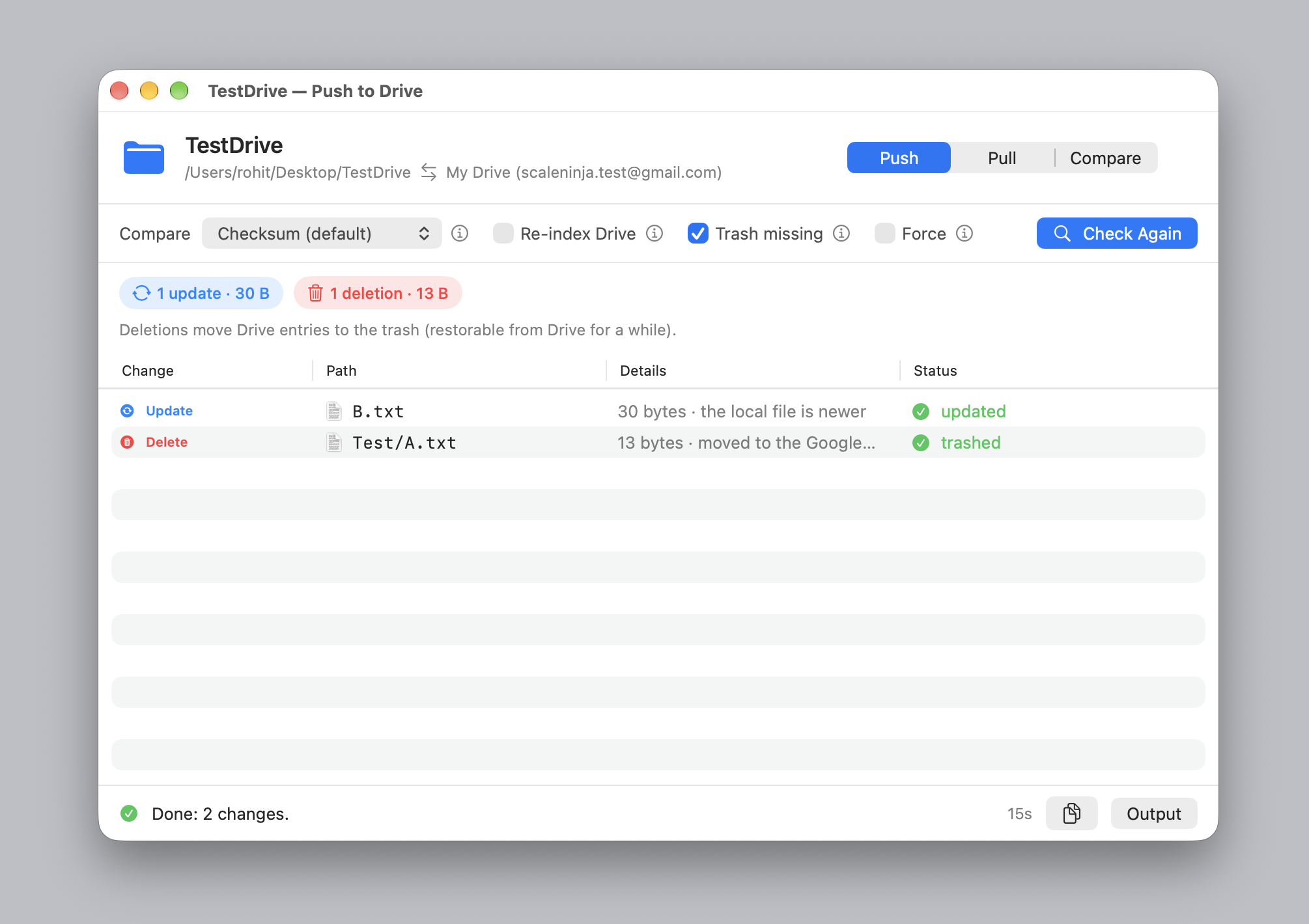
If a file fails, the row says what Google said about it rather than the word "failed". Those reasons stay in Settings after you close the window, so you can act on them later.
What it will not do
- It will not delete anything unless you tick Trash missing for that run.
- It will not overwrite a file that both sides changed unless you tick Force.
- It will not touch anything outside the folder you picked.
- It will not send your files anywhere except Google Drive.
What you need
A Google account and an OAuth client in your own Google Cloud project. Allow about ten minutes for Google setup, then add a folder. File transfers go directly between your computer and Google.
DriveSync syncs files under My Drive; Shared Drives are not supported. Google Docs, Sheets and Slides show up in the plan and are skipped. Google offers exports for these documents, but DriveSync does not implement export.
Under the hood
The syncing is done by dsync, our free command-line tool under the MIT licence. DriveSync bundles the engine and adds visual plans, progress and menu-bar access. The standalone CLI provides the same sync operations on macOS, Linux and Windows.
Try the engine, then choose your interface
Follow the free CLI quickstart to try your own files. If you prefer the Mac interface, add the same folder to DriveSync and keep its pairing and authorization. Check the product page for Mac app availability.