
 DeltaSnap
 DriveSync
 Noject
 DeltaSync
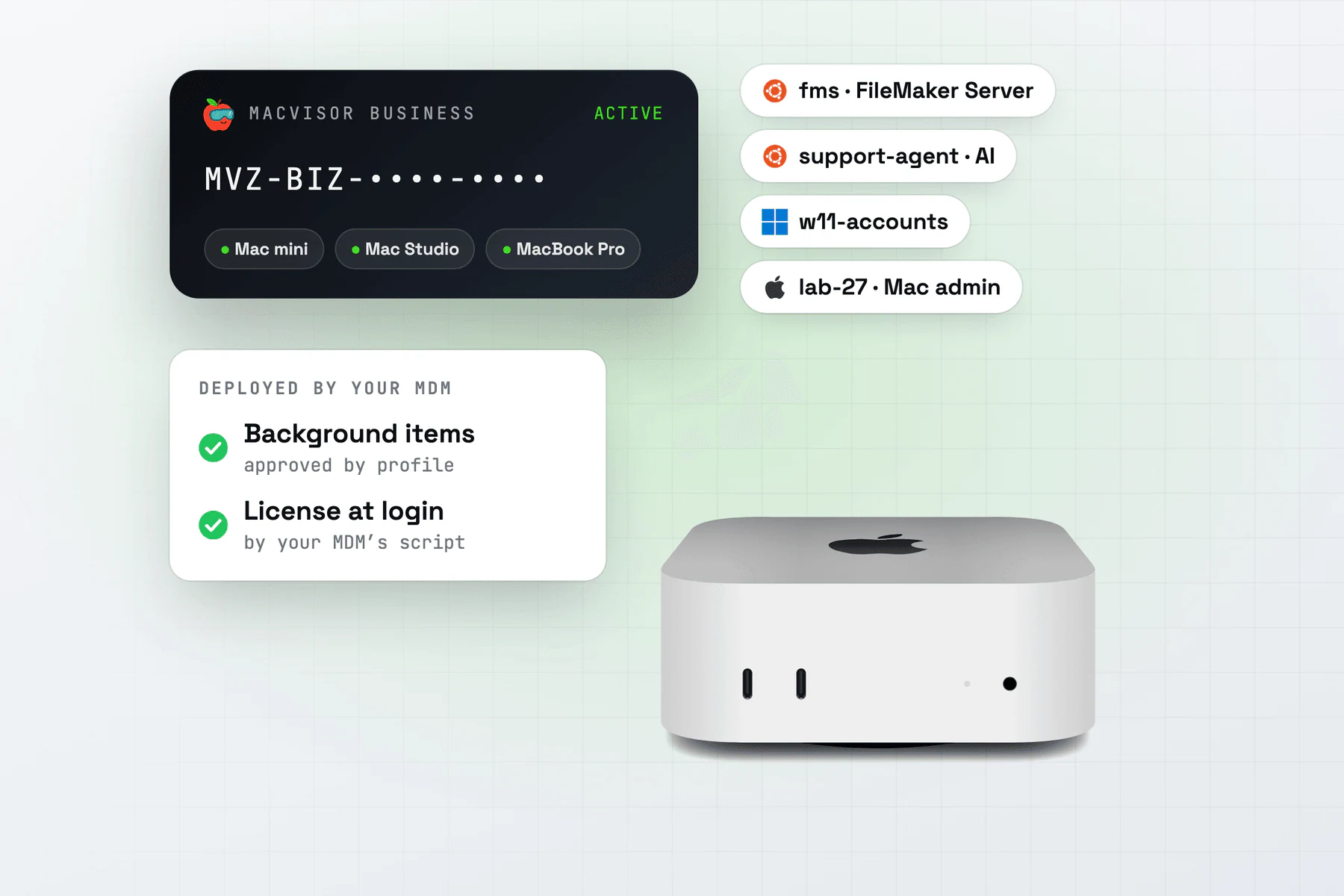
Macs at work don't only sit on desks. A Mac mini in the office can be the AI agent host, the server and the test lab, and a MacBook Pro can carry every system a developer tests on. MacVisor runs macOS, Windows 11, Linux and FreeBSD VMs on Apple Silicon Macs, as a background service that keeps them running with the app closed.
What businesses run on it
- AI agents, each in its own VM. Apple sells the Mac mini as a desktop "for agentic AI". MacVisor gives every agent a machine of its own, kept away from your files and your network. See AI agents on a Mac mini.
- Coding agents in sandboxes. Disposable VMs for Claude Code, Codex and others, with your API keys kept on the Mac. See AI sandboxes. They're a Tech Preview.
- An office server on a Mac mini. FileMaker Server, a Git server, a wiki or a Docker host for internal tools, each in its own Linux VM, started at login, restarted if it crashes and backed up every night. See Mac mini and Mac Studio as servers.
- Dev and test VMs. Windows 11, Linux and macOS on each developer's Mac, from a golden VM and linked clones in an instant, rolled back with snapshots after each run. See Windows 11 on Apple Silicon and Linux on Apple Silicon.
- A Mac admin lab. macOS 14, 15, 26 and 27 in VMs, to test profiles, packages and the next macOS before the fleet gets it. See macOS VMs on Apple Silicon.
- Build labs.
mvzruns headless VMs from scripts, with JSON output, and registry images put the same golden image on every build Mac. - Security and network labs, with custom networks, VLANs and a firewall the Mac enforces. See Network lab.
- A Windows app without a GPU, such as an accounting or database client, for the one person who still needs it. Test it on the free trial first: apps that need DirectX or OpenGL don't work, because MacVisor's Windows VMs have no GPU acceleration yet. Experimental Direct3D 11 acceleration for Windows is coming in a future release.
For every size of business
- Small businesses. One Mac mini runs the office's server, its AI agents and the odd Windows app, and Business is licensed from one Mac. Nobody needs to be an IT department: the VMs start by themselves and back themselves up.
- Growing teams. Developers, QA and Mac admins each get VMs on their own Mac, and IT deploys MacVisor through Jamf Pro, Kandji, Intune or Mosyle with ready-made profiles.
- Enterprise teams. Engineering, security and IT teams use it for test labs, agent sandboxes and build Macs, with Enterprise support and an SLA. For Windows apps on every employee's Mac, see When MacVisor isn't the right choice.
Which Mac for which job
| Mac | What it's for at work | With MacVisor |
|---|---|---|
| Mac mini | Office server, AI agent host, build or lab Mac | Headless VMs that start at login, restart after a crash and back themselves up. 24 GB runs a handful of Linux services or agents |
| Mac Studio | On-device AI, heavy builds | Agents and sandboxes using models served from the Mac's own memory, and many build VMs at once |
| MacBook Pro | Developers, QA, Mac admins | Windows, Linux and macOS test VMs, and coding agents in sandboxes |
| MacBook Air | Everyday work | A Linux VM or a Windows app without a GPU, with 16 GB or more. For Windows apps on every staff Mac, see below |
See Which Mac mini to buy for VMs for how much memory each kind of VM takes.
AI is now the top use of Macs at work
In a survey of 300 US enterprise CIOs in August 2025, by Censuswide for MacStadium (which sells hosted Macs), AI processing was the most common use of Macs, ahead of building apps for Apple's platforms (CIO Survey: Apple in the Enterprise):
| Macs used for | CIOs |
|---|---|
| AI processing | 73% |
| iOS and macOS app development | 68% |
| Build, test and deploy | 61% |
| Remote desktops | 51% |
| File servers | 31% |
The same CIOs named their biggest problems with Macs: security and compliance gaps (36%), integration with existing software (34%), user adoption and support (25%), cost justification (24%) and limited enterprise support (23%). MacVisor's answers to the first two are below: security and compliance, and MDM deployment with mvz scripts for everything else.
Licensing for a business
MacVisor is licensed by the Mac, not by the user or seat. A key covers every macOS account on each Mac it's active on, and every license has every single-Mac feature. The license sets no limit on VMs (Apple allows two macOS VMs running at a time).
| Pro | Business | Enterprise | |
|---|---|---|---|
| Licensed to | A person, for their own work | A business or organization | A business or organization |
| Macs | 1 or 2 per license | 1 or more, on one key | As many as you need |
| Term | One-time, for MacVisor 27 | Yearly, new major versions included | Per your agreement |
| Support | Email, first reply within 2 business days (IST, no SLA) | 8x5, or 24x7 with an SLA | |
| MDM deployment help and license admin | Yes | Yes | |
| Billing | Through Polar, with invoices | Through Polar, with invoices | Also purchase orders or bank transfer |
Business is priced per Mac per year, from one Mac. The current price is in Pricing. For 10 or more Macs, or for Enterprise, email sales for a quote. Pro is licensed to a person; licenses a business or organization buys for its staff or its Macs are Business or Enterprise. The full comparison is in Compare licenses.
Deploy through your MDM
The MDM guide has the profiles, scripts and step-by-step setup for Jamf Pro, Kandji and Intune. Mosyle and other MDMs install the DMG or the ZIP to /Applications. In outline:
- Install the app in
/Applications. Intune takes the DMG, Kandji the ZIP, and Jamf Pro a package you build with Composer. - Pre-approve the background items with the Managed Login Items profile, so users and administrators aren't asked to allow the background service and the network helper.
- Grant Full Disk Access with the privacy (PPPC) profile, if you'd rather users weren't asked as VMs use their folders. It's optional.
- Activate the license with the activation script, run by your MDM at login and on a recurring check-in. It runs
mvz license activateas the logged-in user, with the key on standard input. - Keep Macs on one version with the updates profile, which turns off automatic update checks. Deploy the next version when you choose.
- Report MacVisor in inventory with two scripts: one prints the version, the other the license, from
mvz license --json. - Allow network access to
keys.scaleninja.comfor license checks, andscaleninja.comfor updates, if your Macs sit behind a proxy or an allow-list. The full list covers cloud images and drivers.
On a Mac, check the result as the user:
mvz license          # edition, masked key and last check
sudo profiles show -type configuration
A Mac keeps working for 30 days without reaching the licensing server. Users still allow two Local Network prompts on first use, because no MDM setting covers them. See What users still do. MacVisor works for standard accounts: making and running VMs, snapshots, networks and firewall rules need no administrator.
License admin and support
Business and Enterprise include license admin by support. Email support@scaleninja.com from the address on the order, with the key's last four characters, to move the key between Macs beyond the usual 3 moves in 30 days, get the list of Macs it's active on, or add Macs during the year. You can still move a key yourself with Move to This Mac, or mvz license activate <key> --move. See Moving a license to another Mac.
Business support is by email, with a first reply within 2 business days (IST) and no SLA. For an SLA, choose Enterprise.
If you cancel Business, it runs to the end of the paid year, then we send a MacVisor Pro key for the same number of Macs, for the current major version, with no end date. See Cancellation.
Build and test from scripts
A throwaway test VM on a build Mac takes five commands:
mvz create ubuntu ci-42
mvz shares ci-42 add "$PWD"
mvz start ci-42 --headless && mvz wait ci-42 --ssh
mvz exec ci-42 --wait --workdir "$PWD" -- make test
mvz poweroff ci-42 && mvz rm ci-42 --yes
The VM is a linked clone of the Ubuntu template, so it needs no download after the first run. See Scripting examples.
Mac mini and Mac Studio as servers
A Mac mini that stays on can host the services a business runs, each in its own VM:
- FileMaker Server. Claris supports it in VMs on its certified systems, Ubuntu on ARM64 included. Bridge the VM to the Mac's Ethernet so FileMaker Pro and Go reach it on ports 80, 443 and 5003.
- Internal Linux services: a Git server, a wiki, a Docker host for internal tools, or a database, from cloud images.
- Test machines on other macOS versions: macOS 14, 15, 26 and 27 in VMs, to check apps before the fleet updates. See macOS VMs.
The background service starts the VMs at login with the app closed. High availability restarts one that crashes, and backups copy them to another drive or a share on a schedule, running VMs included. For a Mac that comes back by itself after a power cut, see Always-on host.
Apple's macOS license allows macOS VMs for software development, testing, macOS Server and personal use. Run production servers in Linux VMs, or on the Mac itself.
AI agents on a Mac mini
An AI agent that runs around the clock has your accounts, a shell and the web, and it reads what other people send it. On a Mac mini at the office, give each agent its own Ubuntu VM rather than the Mac itself:
- Its own machine. The VM shares none of your files unless you choose a folder, and an agent that goes wrong breaks only its VM.
- Its own network. A custom network with a firewall the Mac enforces lets agents reach model providers and messaging services on the internet, but not your NAS, printers or other Macs. Nothing in the guest can change the rules.
- Always on. Start at login, high availability and VM Watchdog restart a VM that crashes or stops responding.
- An undo button. A snapshot before every update or new skill rolls the whole agent back, its configuration and memory included. Scheduled backups keep a copy on another drive or a share; keep them on an encrypted drive, because they hold the agent's tokens.
- Local models. Agents reach models served on the Mac, or on a Mac Studio with the memory for larger ones, so prompts and data needn't leave the office.
Each agent VM starts with 4 GB of memory, so a 24 GB Mac mini runs four or five next to macOS. MacVisor runs the VMs; you install and configure the agents. Step-by-step guides: OpenClaw and Hermes Agent.
Security and compliance
- Least privilege. The app,
mvz, the background service and every VM run as the logged-in user. One small helper runs as root, for the firewall, VLAN interfaces, command links, VM names and the license. - One process per VM. A VM that crashes or misbehaves stops only itself.
- A closed guest boundary. Shared folders are opt-in per VM, the clipboard can be limited or turned off per VM, files from a guest always need approval on the Mac, and a VM's own port forwards listen only on the Mac's loopback.
- A firewall the Mac enforces on each custom network, which nothing inside a VM can change.
- Windows with Secure Boot and a TPM 2.0 sealed to the Mac's Secure Enclave, so BitLocker works and a copied VM can't unseal it on another Mac. See BitLocker and the TPM.
- VM data stays on the Mac. Disks, snapshots and guest traffic never pass through ScaleNinja's servers; license checks go to
keys.scaleninja.com.
What it doesn't do yet: MacVisor doesn't encrypt VMs itself (FileVault does, and backups should go to an encrypted drive), there's no SSO and no settings an administrator can lock beyond the updates profile, and Windows VMs can't pass TPM attestation. See Security model.
How it compares for IT
Checked against each vendor's documentation and prices on 22 November 2026. Prices are per Mac, before tax.
| MacVisor Business | Parallels Desktop Business | Parallels Desktop Enterprise | VMware Fusion | UTM | |
|---|---|---|---|---|---|
| Price | $99 a year ($79 launch price until 30 Nov 2026) | $149.99 a year (list) | By quote | Free | Free |
| MDM deployment | Guide for Jamf Pro, Kandji, Intune and Mosyle, with profiles and a license script | Jamf guide; a profile activates it | Jamf guide; a profile activates it | Its mass-deployment package doesn't work on macOS 26 and later | No MDM guide |
| Central management and SSO | No | Central license management | Management portal, SSO/SAML, SCIM and policies | No | No |
| Restarts a crashed VM | Yes | No | No | No | No |
| Scheduled VM backups | Yes | None built in | None built in | None built in | None built in |
| Windows GPU acceleration | Not yet; experimental Direct3D 11 coming | DirectX 11 and OpenGL | DirectX 11 and OpenGL | DirectX 11 | Experimental, on its QEMU backend |
| Microsoft-authorized Windows 11 | No | Yes | Yes | No | No |
| macOS 27 hosts | Yes | Yes | Yes | No support statement | No support statement |
| Support | Email, first reply within 2 business days, no SLA | 24/7 phone, chat and email | 24/7 phone, chat and email | Forums and knowledge base | Community |
The short version: MacVisor for Macs that run VMs as infrastructure (servers, build and test machines, labs), and Parallels for Windows as a daily desktop and for fleets that need a management portal today. See MacVisor compared for each app in detail.
Limits today
- One Mac at a time, for now. Each Mac's VMs are managed on that Mac, in the app or with
mvz, also over SSH. Managing VMs across several Macs from one place is in the works. Tell us what your team needs from it. - No SSO. Licensing is by key, not by user accounts.
- MDM manages updates only. The updates profile sets two managed preferences. Settings an administrator can lock are on our roadmap.
- No CI runner integrations yet. Drive VMs from your CI system with
mvzscripts. - No TPM attestation for Windows VMs, so Intune compliance based on device health attestation and Autopilot self-deploying mode don't work.
- ARM64 guests only, and two macOS VMs at a time per Mac.
When MacVisor isn't the right choice
- You need one portal for VMs on many Macs today. Parallels Desktop Enterprise has a management portal now; MacVisor's is still to come.
- You run a macOS CI fleet with a scheduler. Tart with Orchard, or Anka Build Cloud, place jobs across many Macs.
- You need x86 VMs. Apple Silicon runs ARM64 guests only.
Get a quote
Try MacVisor free for 30 days on a few of your Macs first: the trial is the full app. When you're ready, buy Business for as many Macs as you need, or email sales@scaleninja.com with how many Macs, what they're for and the MDM you use. If you're evaluating on many Macs behind one network address, ask support to raise the daily trial limit.