
 DeltaSnap
 DriveSync
 Noject
 DeltaSync

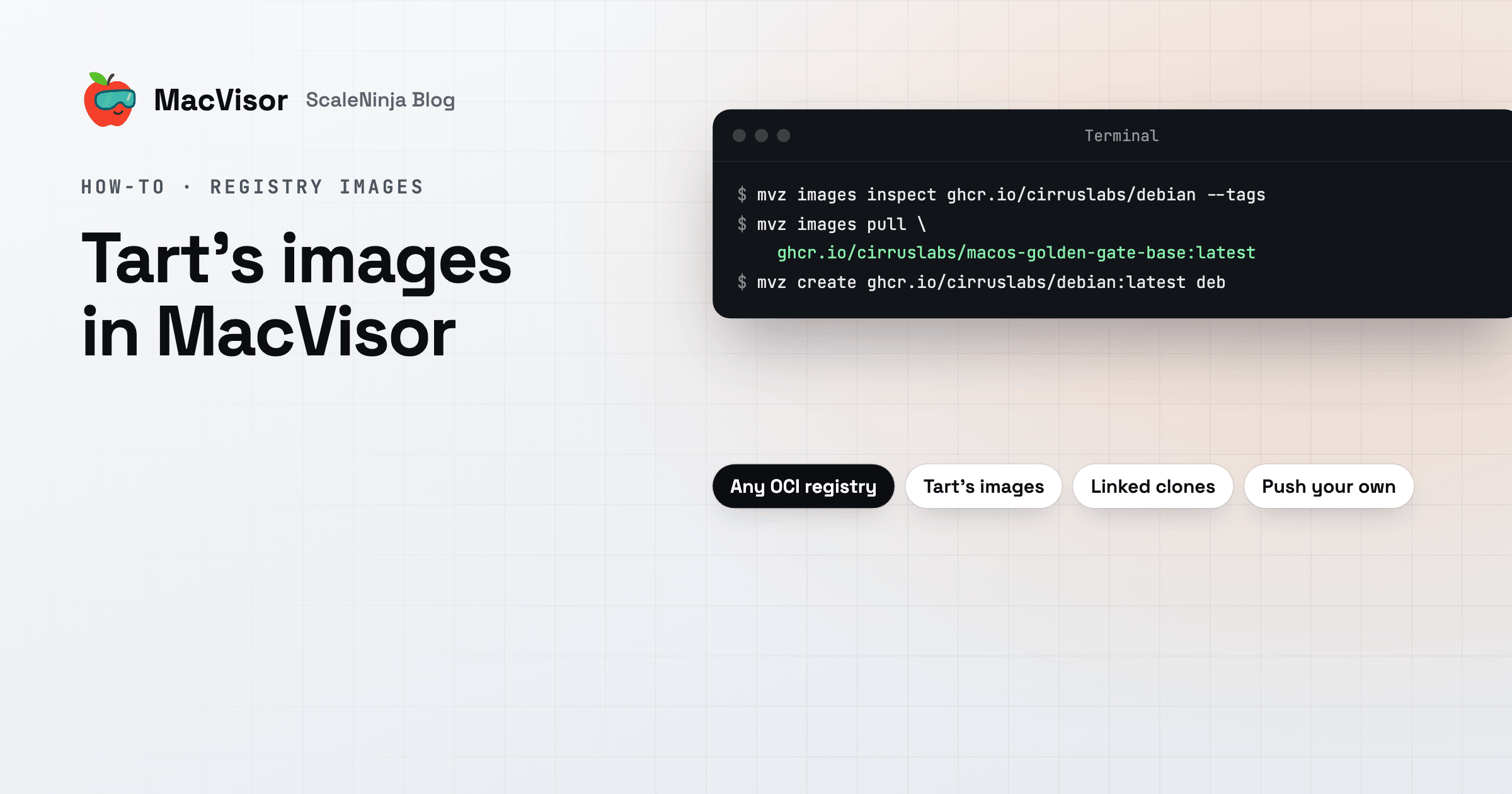
Since 27.2.1, MacVisor pulls VM images from OCI registries: ghcr.io, Docker Hub, Amazon ECR, Google Artifact Registry, Azure, Harbor, or a registry on your own network. It reads two kinds of image. One is Tart's, so the public macOS and Linux images built for Tart run as they are. The other is MacVisor's own format, which is what it pushes.
This guide covers pulling an image, making VMs from it, pushing your own, and moving from Tart. The full reference is Registry images.
Look before you pull
mvz images inspect says what an image is without downloading it: its format and system, its download and disk sizes, and when it was pushed. --tags lists the repository's tags.
mvz images inspect ghcr.io/cirruslabs/macos-golden-gate-base
mvz images inspect ghcr.io/cirruslabs/debian --tags
A reference is <registry>/<repository>[:<tag>], and it names its registry, as in Tart. That keeps ghcr.io/cirruslabs/debian apart from the catalogue's debian. The tag is latest unless you give one, and a digest (@sha256:…) wins over a tag.
Pull an image and make VMs
mvz images pull ghcr.io/cirruslabs/macos-golden-gate-base:latest   # a template, for later VMs
mvz create ghcr.io/cirruslabs/debian:latest deb                     # pulls it if needed, then makes a VM
mvz clone ghcr.io/cirruslabs/macos-golden-gate-base mac             # the same, as tart clone does
create and clone pull the image into a template the first time and use that template afterwards. A name that's missing or taken is refused before anything downloads. --detach returns once a pull has started, and mvz tasks follows it. A pull you cancel or lose to a restart carries on from where it stopped next time.
In the app:
- New VM → Registry: pick a suggested image, or Other… for any reference, then a tag and the VM's name. Get Image and Create VM downloads it if needed and makes the VM.
- Templates → + → Get an Image from a Registry… makes a template only.
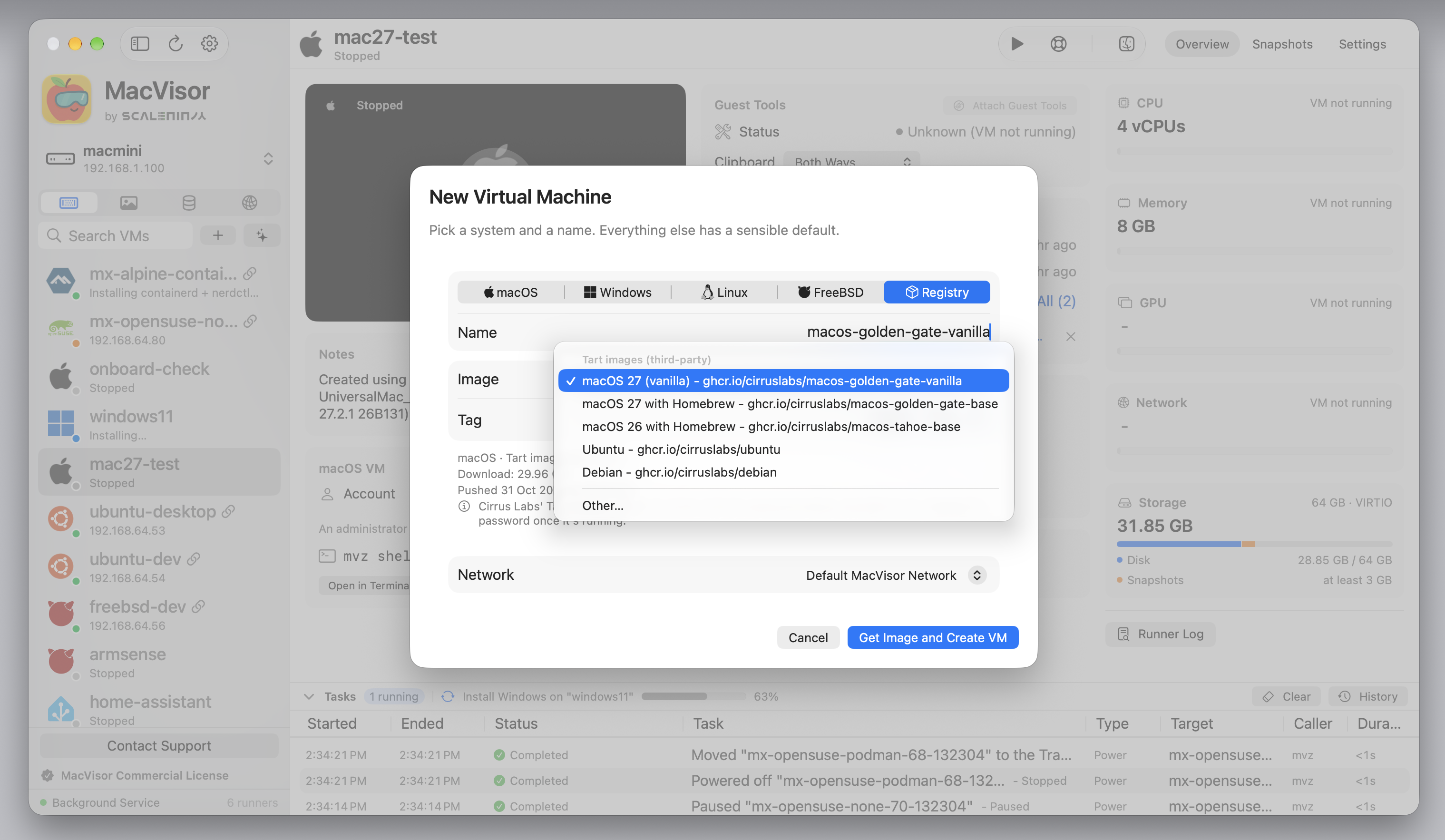
MacVisor suggests its own images first once there are any, then Tart's, under Tart images (third-party). It shows the image's system, format and sizes as you choose it, and any template here that already has it.
What a pulled template is
An image you pull becomes a template, as a cloud image does, and shows as OCI Template. Each VM you make from it is a linked clone: it shares the template's disk and stores only its own changes, so each new VM takes almost no space at first.
- A raw disk becomes ASIF as it downloads, with 512-byte sectors, so its VMs can be linked clones. Blocks of zeros aren't written.
- An ASIF disk, as in Tart's macOS 27 images, is kept as it is.
- A macOS image keeps its hardware model and auxiliary storage, and a Linux image its EFI variables. Each VM made from either is a Mac or PC of its own.
- Its VMs don't forward ports to your Mac automatically, since an image is someone else's prepared VM. Reach one at its own address, which
mvz ip <vm>prints.
Before anything downloads, MacVisor checks that the image is ARM64, that this Mac supports its hardware model, and that it fits on the drive. Every chunk is checked against its digest as it arrives.
To get a newer image for the same tag, right-click the template and choose Update from Registry, or pull it again. A new image becomes a new template, and VMs made from the old one keep it. mvz images source <template> shows or changes the repository and tag it follows.
Tart's images
Tart's public images on ghcr.io, from Cirrus Labs and OpenAI, work as they are. MacVisor suggests these:
| Image | Repository |
|---|---|
| macOS 27 (vanilla) | ghcr.io/cirruslabs/macos-golden-gate-vanilla |
| macOS 27 with Homebrew | ghcr.io/cirruslabs/macos-golden-gate-base |
| macOS 26 with Homebrew | ghcr.io/cirruslabs/macos-tahoe-base |
| Ubuntu | ghcr.io/cirruslabs/ubuntu |
| Debian | ghcr.io/cirruslabs/debian |
Things to know:
- Sign in as
admin, passwordadmin. SSH is on. Change the password in any VM other people can reach. - Stacked images (Tart 2.36 and later) are flattened into one ASIF disk as they're pulled, which briefly takes twice the disk's space.
- Some images are refused, with the reason: Tart's older
disk.v1layout, other architectures, and hardware models this Mac doesn't support. - After pulling an image with Xcode, check that Apple Account sign-in works in the guest before you rely on it. See Tart issue #1420.
Sign in to a registry
Public images need no sign-in. For private ones, and to push:
echo "$GHCR_TOKEN" | mvz images login ghcr.io --username me --password-stdin
mvz images login --list
mvz images logout ghcr.io
In the app, it's Settings → Registries → Sign In to a Registry…. MacVisor checks the sign-in with the registry, then keeps it in this Mac's Keychain. The background service holds it and never hands the password back to the app or mvz, and it never goes on the command line.
mvz also picks up credentials from your shell for one request at a time: MVZ_REGISTRY_USERNAME, MVZ_REGISTRY_PASSWORD and MVZ_REGISTRY_HOSTNAME, Tart's TART_REGISTRY_* variables, and Docker's own credentials and helpers. CI scripts written for Tart carry over.
Push your own VMs and templates
mvz images push dev ghcr.io/you/dev:1.0 ghcr.io/you/dev:latestIn the app, right-click a stopped VM or a template and choose Push to Registry…. A push sends the boot disk, the platform files and the settings that make it the same VM elsewhere. Its name, networks, shared folders, MAC address and other disks stay on this Mac. Windows VMs can't be pushed yet.
Linked clones go as layers. A linked clone is sent as its base plus its own changes. A base the registry has already isn't sent again, and pushing again with nothing changed sends nothing. Pulling works the same way round: when a template here already has some of an image's layers, MacVisor copies them locally (an APFS clone on the same drive) instead of downloading them.
Images are pushed in MacVisor's format, which Tart can't read. A VM made from a Tart image is a linked clone of a Tart template, so pushing it sends that base too, once per registry, in MacVisor's format.
Disk files go in chunks of 512 MiB by default. Use a smaller --chunk-size on a slow uplink (ghcr.io wants each upload done within about ten minutes), and a larger one for Amazon ECR's limit of about 500 layers.
Registries on your local network
A registry on a NAS or a build server works too. macOS doesn't give MacVisor's background service Local Network access, so MacVisor reaches such a registry through its VM runner, MacVisor VM, which you allowed in first-run setup.
--insecure speaks plain http, only to a registry on this Mac or one on your local network named by IP address, a .local name or a single-label name:
mvz images push dev localhost:5000/dev:1.0 --insecure
mvz images pull nas.local:5000/lab/ubuntu:1 --insecure
In the app, write http:// before the registry. See Registries on your local network.
Moving from Tart
| Tart | MacVisor |
|---|---|
tart clone <image> <name> | mvz clone <image> <name> |
tart pull <image> | mvz images pull <image> |
tart push <vm> <image>… | mvz images push <vm> <image>…, in MacVisor's format |
tart login / tart logout | mvz images login / mvz images logout |
TART_REGISTRY_* | Read as they are, or use MVZ_REGISTRY_* |
A VM in ~/.tart/vms | File → Import… or mvz import |
A Tart VM already on your Mac comes in with Import, keeping its disk and settings.
What MacVisor adds around the same images:
- A full app next to the
mvzCLI, over the same VMs, with JSON output for scripts. - Live snapshots with memory, disk-only snapshots, and automatic snapshots.
- Named networks with DHCP reservations, port forwards, VLANs and a firewall per network that the Mac enforces.
- Scheduled backups of running VMs.
- Cloud-init VMs from nine Linux distributions' own images, with your account, SSH keys and a container runtime.
- VMs that run unattended: they start at login, and high availability restarts one that crashes or, with the watchdog and health checks, stops responding.
What Tart still does that MacVisor doesn't: CI integrations. Tart has a Packer plugin for building images, a GitLab executor, and Orchard for running VMs across a cluster of Macs. MacVisor has none of those yet. If your Macs run CI jobs through them, keep Tart for that, and use MacVisor where people work with the VMs directly. MacVisor vs. Tart compares the two in detail.
Pulling and pushing need a license or the free trial. Signing in and images inspect don't. Download MacVisor to try it with every single-Mac feature for 30 days, and see macOS VMs on Apple Silicon for what else a macOS guest can do.