
 DeltaSnap
 DriveSync
 Noject
 DeltaSync
What we tested
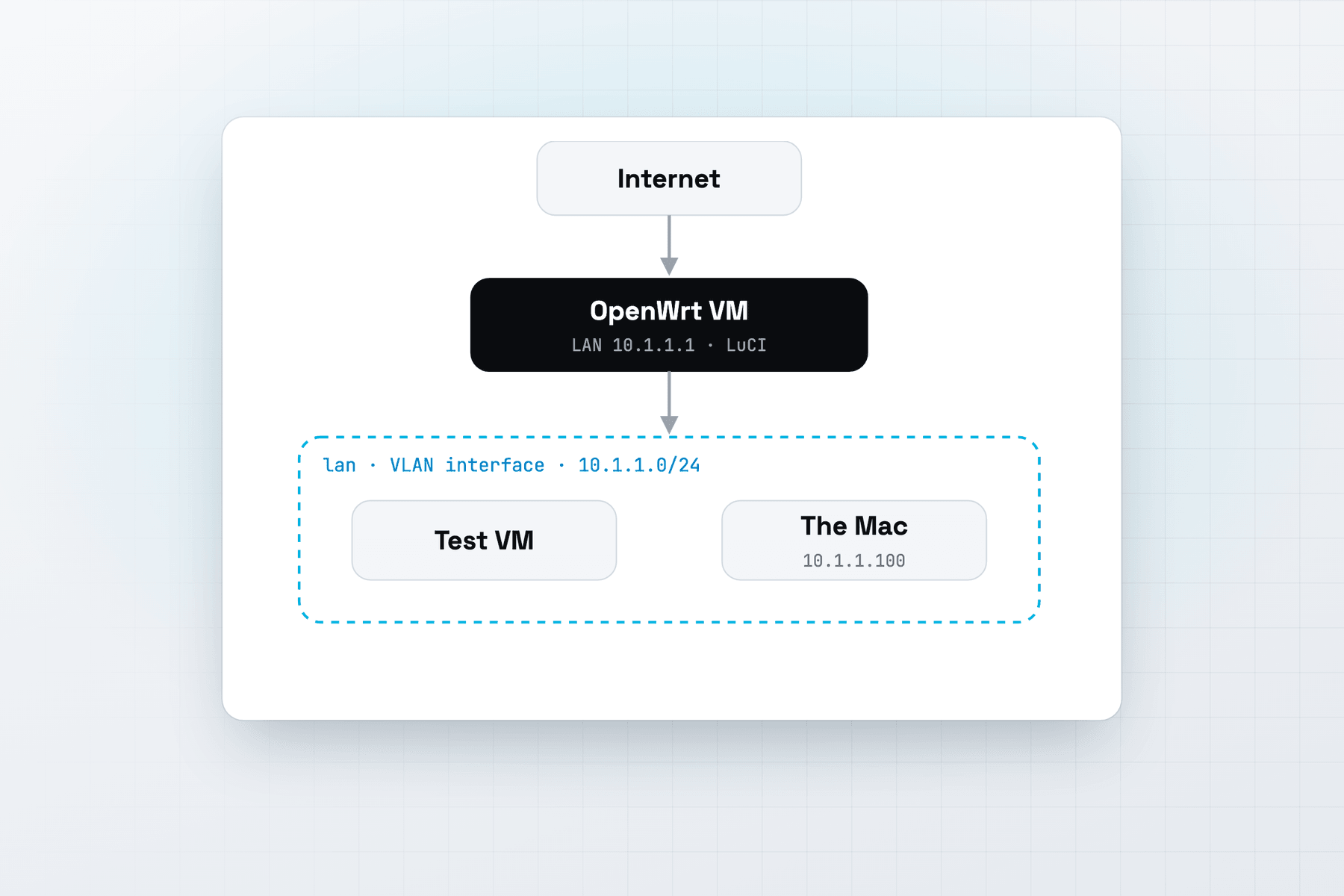
OpenWrt 25.12.6 from openwrt-25.12.6-armsr-armv8-generic-squashfs-combined-efi, in a MacVisor appliance VM with two adapters:
- LAN, the first adapter, bridged to a VLAN interface on the Mac. OpenWrt's LAN at
10.1.1.1/24, the Mac at10.1.1.100. - WAN, the second adapter, on the Default MacVisor Network, which reaches the internet through the Mac.
It boots to a root shell on both the display and the serial console. LuCI, OpenWrt's web interface, opened at https://10.1.1.1/ on the Mac, and the QEMU guest agent installed from OpenWrt's packages and started at every boot.
Get the image
OpenWrt's armsr target ("Arm SystemReady (EFI) compliant") builds images for ARM machines with EFI firmware, virtual machines included. Its armv8 subtarget is 64-bit. On downloads.openwrt.org, open a release, then targets/armsr/armv8/, and download:
openwrt-<version>-armsr-armv8-generic-squashfs-combined-efi.img.gz(the one we tested), oropenwrt-<version>-armsr-armv8-generic-ext4-combined-efi.img.gz
OpenWrt publishes no qcow2 for this target, and MacVisor doesn't read .gz, so decompress the file first:
gunzip ~/Downloads/openwrt-25.12.6-armsr-armv8-generic-squashfs-combined-efi.img.gzMake a LAN the Mac can reach
OpenWrt's LAN needs a segment where OpenWrt picks the subnet and the Mac has an address in it. A VLAN interface on the Mac gives you both:
- In MacVisor's Networks section, click New VLAN Interface…, and give it a name, a tag that nothing else on your network uses, and a parent interface, such as the Mac's Ethernet. See VLAN interfaces.
- In System Settings → Network, give the VLAN interface a manual address in the subnet you'll use for OpenWrt's LAN, such as
10.1.1.100with the subnet mask255.255.255.0.
Pick a subnet your home network doesn't use. OpenWrt's default, 192.168.1.0/24, is common on home routers.
A host-only network doesn't work for this. The Mac reaches a host-only network only at addresses in the subnet macOS picked for it, which mvz networks shows. We set OpenWrt's LAN to 10.1.1.1 on a host-only network with its DHCP off, and the Mac couldn't reach it.
Make the VM
On a VM, OpenWrt makes eth0 its LAN, with a DHCP server, and eth1 its WAN, a DHCP client. So the first adapter goes on the LAN:
mvz create ~/Downloads/openwrt-25.12.6-armsr-armv8-generic-squashfs-combined-efi.img router \
  --no-cloud-init --os linux --network bridged:vlan0         # first adapter: the LAN
mvz nics add router --network "Default MacVisor Network"     # second adapter: the WAN
mvz start router
Replace vlan0 with your VLAN interface's name. In the app, choose Linux, then Image File or URL…, turn off Set up with cloud-init, and bridge the network to the VLAN interface. Add the WAN adapter in VM Settings → Network.
The order matters. If the LAN landed on the Default MacVisor Network, OpenWrt's DHCP server would answer the other VMs there. Compare the MAC addresses in mvz nics list router with cat /sys/class/net/eth0/address in OpenWrt. If they're swapped, move the adapters with mvz nics set router <nic-id> --network <network>.
First boot
Open the VM's window, or run mvz console router, and press Enter for a root shell. Both the display and the serial console give you one, and the window's Display | Console switch shows either. Set a root password with passwd.
Then move the LAN to your subnet:
uci set network.lan.ipaddr='10.1.1.1'
uci set network.lan.netmask='255.255.255.0'
uci commit network
/etc/init.d/network restart
Open https://10.1.1.1/ in a browser on the Mac for LuCI, which release images include, and sign in as root. OpenWrt's firewall keeps LuCI closed on the WAN side.
The LAN's DHCP server now answers on the VLAN. VLAN traffic leaves through the parent interface with its tag, so keep that tag free of other DHCP servers. To put lab VMs behind the router, bridge their adapters to the same VLAN interface.
Add the QEMU guest agent
OpenWrt 25.12 installs packages with apk:
apk update
apk add qemu-ga
From the next boot it starts by itself. A new Linux appliance has the port it talks on, so there's nothing to turn on in MacVisor. With it, MacVisor shows the guest's addresses and details on the Overview's Guest Tools card. See QEMU guest agent.
If Shut Down doesn't stop OpenWrt, set a shutdown command that runs poweroff over SSH.
Keep a clean copy
Take a disk-only snapshot once OpenWrt is set up, and revert after each experiment:
mvz snapshots take router --disk-only --name "Clean"
mvz snapshots revert router "Clean"
To keep the router up whenever the Mac is, run mvz autostart router on.
Limits
- No Wi-Fi. A VM has no radio, so OpenWrt routes between networks only.
- Four adapters per VM, the primary one included.
- VLAN interfaces are made in the app, not with
mvz. - The firewall MacVisor enforces on a custom network filters traffic into and out of the network, not between VMs on it. OpenWrt's own firewall handles what crosses the router. See Network firewall.
For more on WAN and LAN networks and a lab around the router, see the network lab page and Appliances: images without cloud-init.